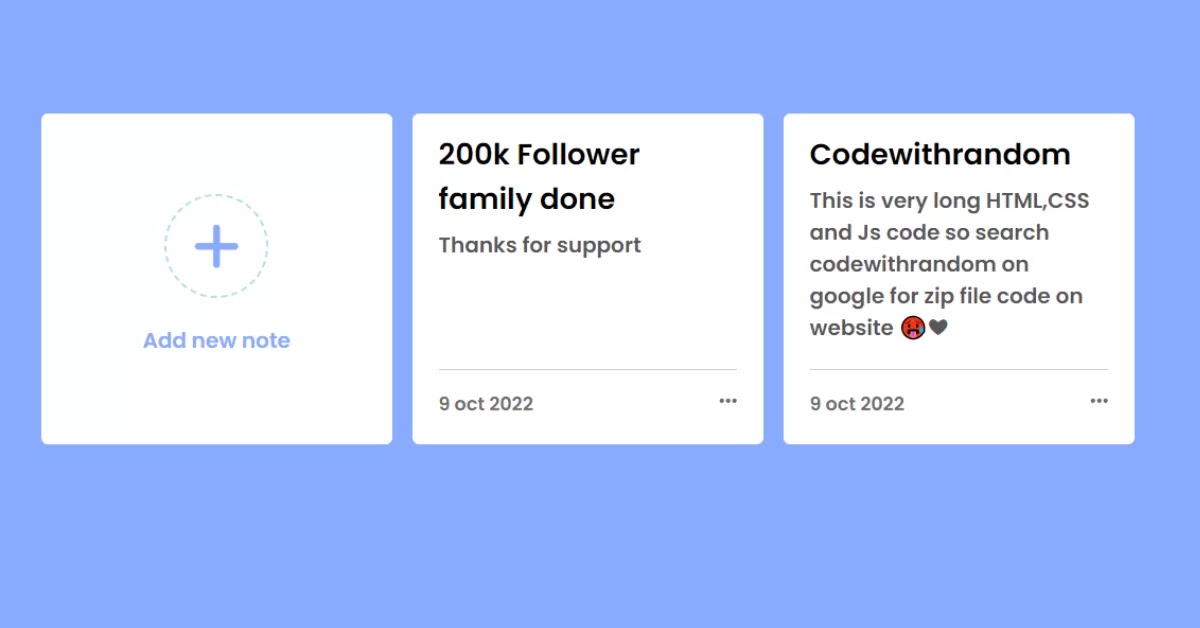
Blogger Not Uygulaması Nasıl Eklenir?
Blogger Not Uygulaması Nasıl Eklenir?
     <div class="container">
        <h1>Notes Uygulamasına Hoş Geldiniz</h1>
<br />
        <div class="note-input">
            <label for="textarea">Bir Not Ekle</label><br>
            <textarea name="textarea" id="textarea" cols="80" rows="5" placeholder="Notunuzu buraya yazın..."></textarea><br>
            <button id="myBtn">Not Ekle</button>
        </div>
        <hr class="hrStyle">
        <h1>Notlarınız</h1>
        <hr class="hrStyle">
        <div id="notes" class="notesBox">Henüz not eklenmedi.</div>
     </div>
* {
  margin: 0;
  padding: 0;
  box-sizing: border-box;
}

body {
  font-family: Arial, sans-serif;
  background-color: #f4f4f9;
  padding: 20px;
}

.navbar {
  display: flex;
  justify-content: space-between;
  align-items: center;
  background-color: #333;
  padding: 10px 20px;
  color: white;
}

.navbar #logo {
  font-size: 24px;
  font-weight: bold;
}

.navbar ul {
  list-style: none;
  display: flex;
}

.navbar ul li {
  margin-left: 20px;
}

.navbar ul li a {
  color: white;
  text-decoration: none;
  font-size: 18px;
}

.form-group input {
  padding: 5px;
  margin-right: 10px;
}

.form-group button {
  padding: 5px 10px;
  background-color: #ff6700;
  border: none;
  color: white;
  cursor: pointer;
}

.container {
  margin-top: 30px;
}

.note-input {
  background: white;
  padding: 20px;
  border-radius: 5px;
  box-shadow: 0 0 10px rgba(0, 0, 0, 0.1);
}

.note-input label {
  font-size: 18px;
  font-weight: bold;
}

.note-input textarea {
  width: 100%;
  padding: 10px;
  margin-top: 10px;
  border: 1px solid #ccc;
  border-radius: 5px;
  resize: none;
}

.note-input button {
  margin-top: 10px;
  padding: 10px 20px;
  background-color: #007bff;
  color: white;
  border: none;
  border-radius: 5px;
  cursor: pointer;
}

.hrStyle {
  margin: 20px 0;
}

.notesBox {
  background: white;
  display: flex;
  gap: 30px;
  padding: 20px;
  border-radius: 5px;
  box-shadow: 0 0 10px rgba(0, 0, 0, 0.1);
  min-height: 100px;
  text-align: center;
  font-size: 18px;
  color: #555;
}

.buttonHeading {
  padding: 5px 20px;
}
console.log('Welcome to Magic Notes App!');

// Function Declaration Before Use
function showNotes() {
  const notesObj = JSON.parse(localStorage.getItem('notes')) || [];
  const notesElem = document.getElementById('notes');

  if (notesObj.length === 0) {
    notesElem.innerHTML = 'No notes added yet.';
    return;
  }

  notesElem.innerHTML = notesObj
    .map(
      (note, index) => `
        <div class="noteBox">
            <h3 class="noteHeading">Note ${index + 1}</h3>
            <p class="paraHeading">${note}</p>
            <button class="buttonHeading" onclick="deleteNote(${index})">Delete Note</button>
        </div>
      `,
    )
    .join('');
}

// Event Listener for Add Note Button
document.getElementById('myBtn').addEventListener('click', () => {
  const textArea = document.getElementById('textarea');
  const noteContent = textArea.value.trim();
  if (!noteContent) {
    alert('Please enter a note!');
    return;
  }

  const notesObj = JSON.parse(localStorage.getItem('notes')) || [];
  notesObj.push(noteContent);
  localStorage.setItem('notes', JSON.stringify(notesObj));
  textArea.value = '';
  showNotes();
});

// Delete Note Function
// eslint-disable-next-line no-unused-vars
function deleteNote(index) {
  const notesObj = JSON.parse(localStorage.getItem('notes')) || [];
  notesObj.splice(index, 1);
  localStorage.setItem('notes', JSON.stringify(notesObj));
  showNotes();
}

// Search Notes
document.getElementById('search').addEventListener('input', function () {
  const inputVal = this.value.toLowerCase().trim();
  const noteBoxes = document.getElementsByClassName('noteBox');

  Array.from(noteBoxes).forEach((element) => {
    const boxTxt = element
      .querySelector('.paraHeading')
      .innerText.toLowerCase();
    element.style.display = boxTxt.includes(inputVal) ? 'block' : 'none';
  });
});

// Initial Call
showNotes();
Bu yazı Serkan Gündoğdu tarafından yazılmıştır.
✔ Bu içeriği Beğendiyseniz Lütfen Paylaşın ⤵